Calculate cutting data
Use the Tooling Metrics machining calculator to define cutting parameters and estimate machining results for an operation and workpiece material.
Prerequisites: At least one tool assembly built with operations defined on its cutting edge product.
Required permission: Library → Tool Assemblies — User or above.
Cutting data is the set of parameters — cutting speed, feed per tooth, depth of cut — that defines how a specific tool assembly runs on a specific material. Storing cutting data in Tooling Metrics makes it available to engineers designing operations and to the machining calculator for future optimization.
In this tutorial you will define a cutting data set for the CAT40 Drill 3.5 assembly on S45C steel.
- Open the CAT40 Drill 3.5 assembly.
- Click the Cutting Data tab → ⊕ to add a new cutting data set.
- A new Cutting Data form opens.
Set the operation and material
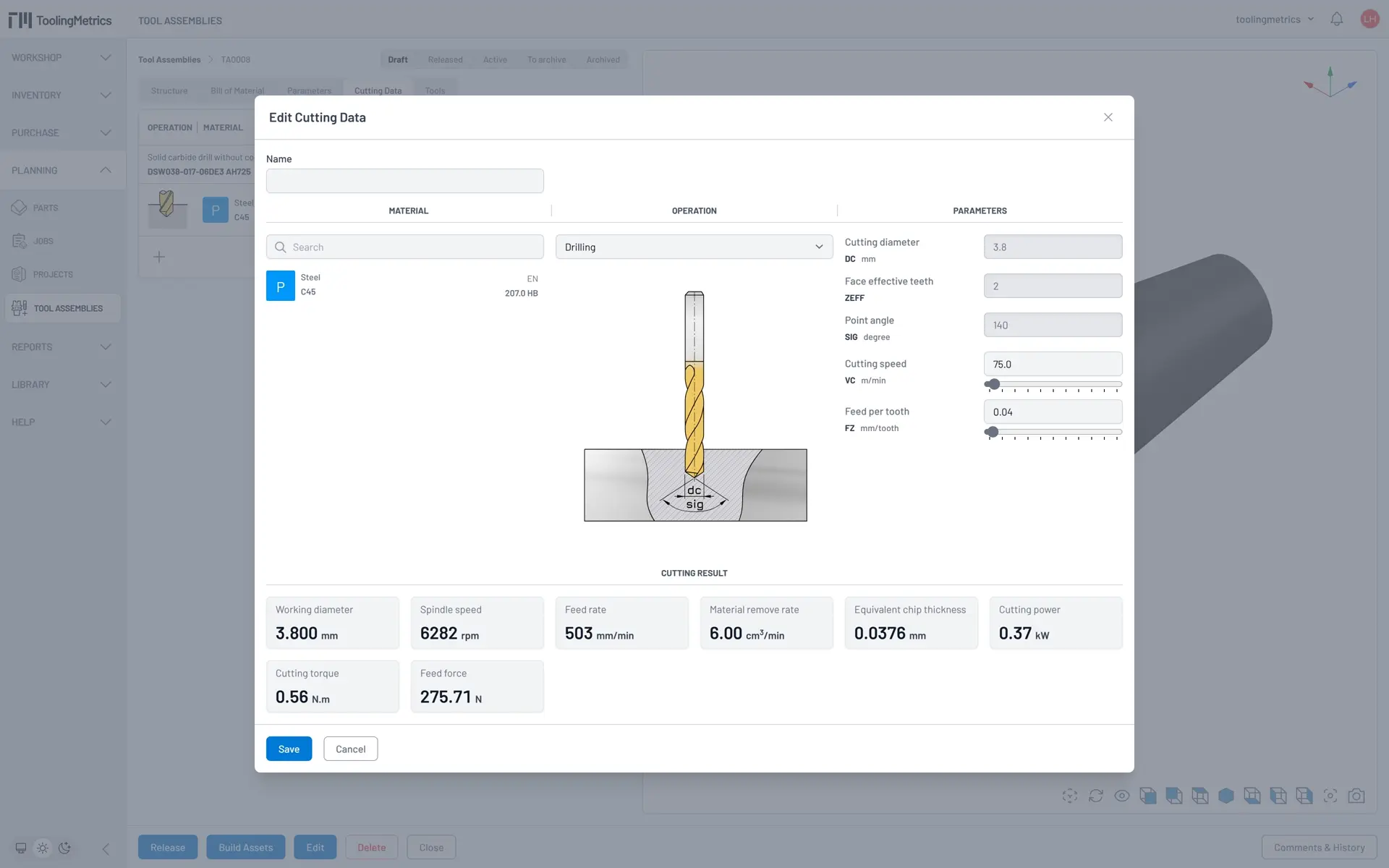
Section titled “Set the operation and material”- Select Operation: Drilling (available because the drill product has the Drilling operation set).
- Click the Material search field and type S 45. Select S 45C, 220 HB from the results.
Review the parameters
Section titled “Review the parameters”The calculator displays the parameters available from the tool assembly — for this drill: DC = 3.5 mm, ZEFF = 2, SIG = 140°. The variable parameters VC (cutting speed) and FZ (feed per tooth) need to be set.
The Cutting Results panel at the bottom updates live as you change values, showing spindle speed (n), feed rate (Vf), and material removal rate.
Set the cutting values
Section titled “Set the cutting values”- Set
VC = 75 m/min. - Set
FZ = 0.04 mm/tooth. - Review the calculated results. Adjust values if needed.
- Click Create.
What to expect
Section titled “What to expect”The saved cutting data set is linked to this assembly and material combination. When an engineer creates an operation using this assembly on an S45C workpiece, this cutting data is available to pre-fill the operation parameters.
As you run more jobs, you can return and refine cutting data based on actual shopfloor results — this is how the tool library becomes more valuable over time.
Library series complete
Section titled “Library series complete”You now have a product library, tool assemblies, and cutting data. The CNC Programmer can start the Engineering series to create projects and generate setup sheets using these assemblies.


© 2026 ToolingMetrics. All rights reserved.