Find tools in circulation
See every tool and item currently outside storage — on machines, at assembly, or at a service vendor — and locate any specific one.
Prerequisites: Tools and items are tracked through Pick Lists, Tool Transfers, and Return Lists. Items moved outside this flow will not show a correct location.
Required permission: Production → Tools, Production → Machines, Inventory → Items, and Inventory → Serialized Items — User or above. A User sees only the records they created.
See all tools outside storage
Section titled “See all tools outside storage”- In the sidebar, click Production → Tools.
- Use the Location filter to group the list by where tools currently are: Machine, Storage Location, or Warehouse Access Point.
- Each row shows the tool’s current location badge. Tools located on a machine or at a WAP are in circulation; tools at a storage location are in storage.
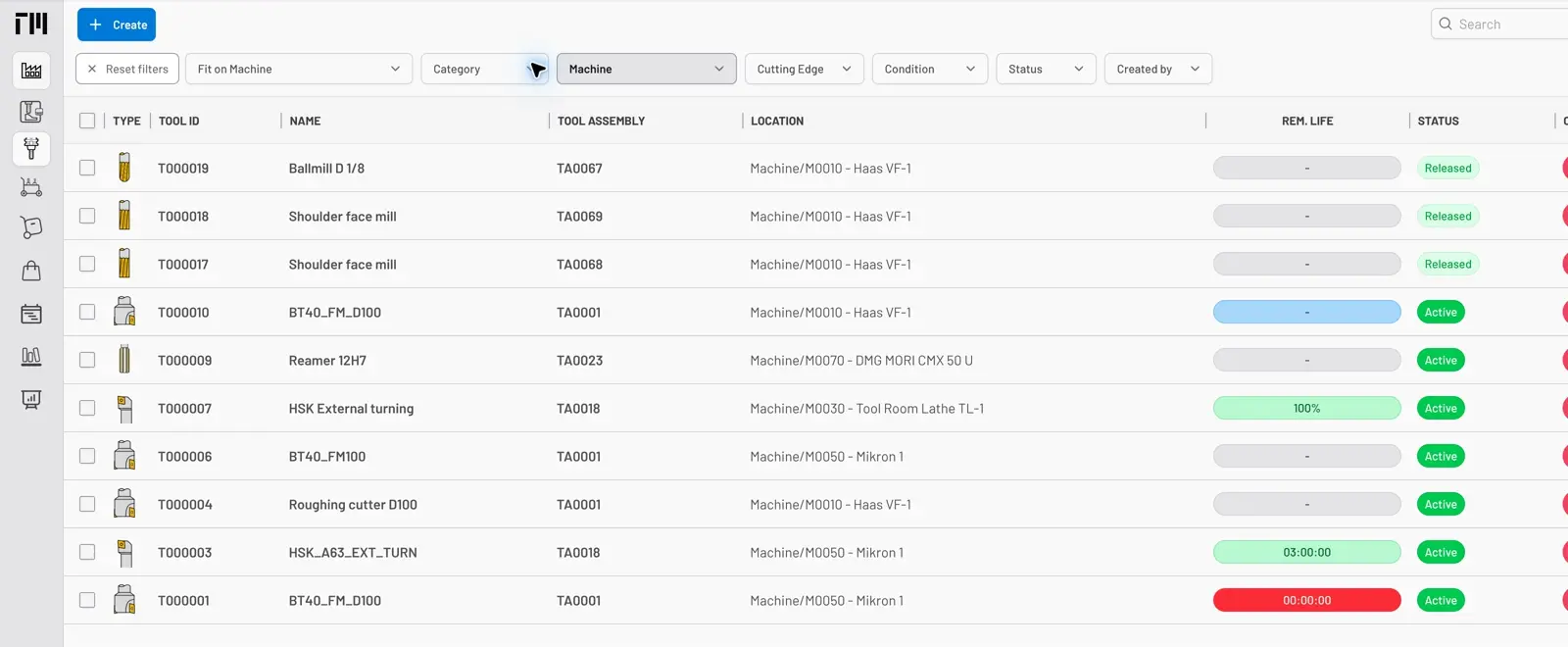
Fig. 1: Tools index filtered by location — everything currently on machines, in one list.
Check an item’s circulating quantity
Section titled “Check an item’s circulating quantity”- In the sidebar, click Inventory → Items and open the item.
- The Overview shows the two quantity totals relevant to circulation:
- On Hand — in storage locations.
- In Circulation — picked to machines, tools, or operators and not yet returned.
- For serialized, serviceable items, open Inventory → Serialized Items to check each unit’s condition, including Under service. The item Overview does not show a separate Under Service quantity.
- Click the Locations tab to see exactly where every unit is, including machines and tools holding the item.
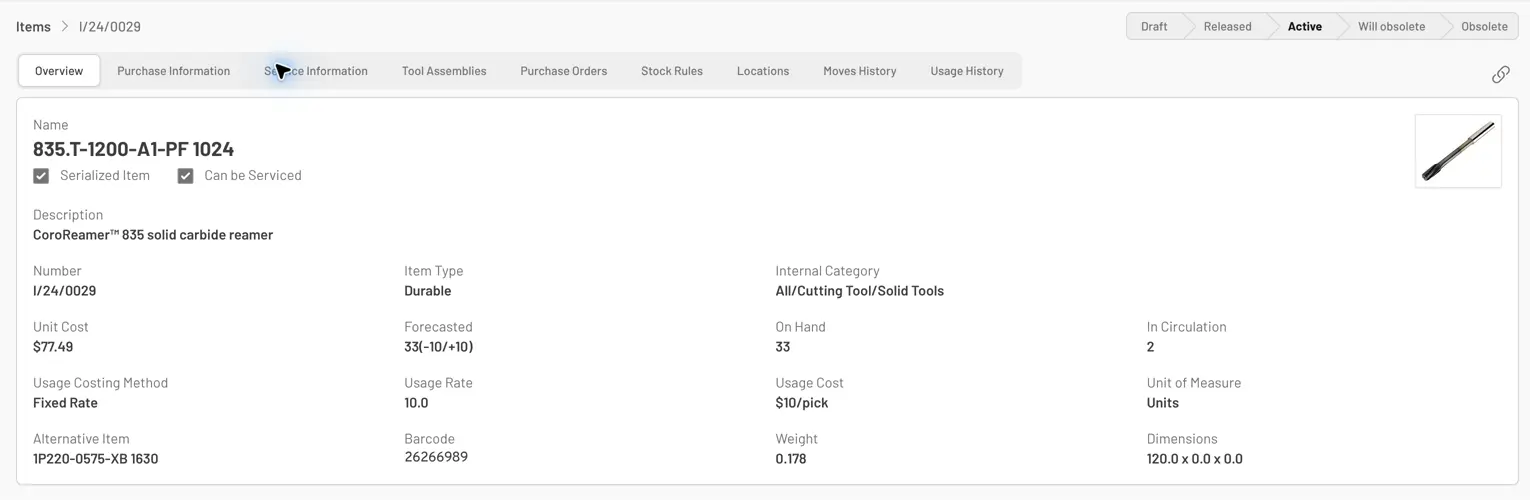
Fig. 2: The item Overview shows On Hand and In Circulation totals. Under service is a serialized-item condition, not a separate total on this screen.
Locate a specific tool or serialized item
Section titled “Locate a specific tool or serialized item”- For a tool: open it from Production → Tools — the current location shows on the Overview. The Moves History tab shows how it got there.
- For a serialized item: open it from Inventory → Serialized Items. Status badges show its state — Used, Need service, Under service — and the Moves History tab shows its current holder and full movement trail.
- To see what is mounted in a machine right now, open the machine from Production → Machines and check the Components and Item List tabs.
- Tools and items that cannot be found physically but show a location in the system indicate a movement that bypassed the system — resolve with an Inventory Adjustment.
- Items at a service vendor are tracked through Service Orders — the order shows expected return dates for overdue follow-up.
- To monitor circulation continuously, build a dashboard widget grouping items by condition or tools by location — see Create a dashboard.


© 2026 ToolingMetrics. All rights reserved.