Process a return list
Return tools and items from a machine or WAP to storage, and update usage life on the way in.
Prerequisites: Tools or items are currently in circulation at a machine or Warehouse Access Point.
Required permission: Inventory → Return Lists — User or above. Admins can validate any return list; Managers and Users only the return lists they created.
Create a return list
Section titled “Create a return list”- In the sidebar, click Inventory → Return Lists → + Create.
- Select the Source — the Machine, Warehouse Access Point, or Picklist the items are coming from. Tooling Metrics prefills one line per returnable tool or item at that source.
- Adjust quantities if needed. For a serialized line, the serial rows show each piece’s current Condition; returning a piece doesn’t change it.
- Click Mark as Todo. The return list moves to Ready, or to Waiting if a line isn’t ready yet. From Waiting, click Check Availability to recheck.
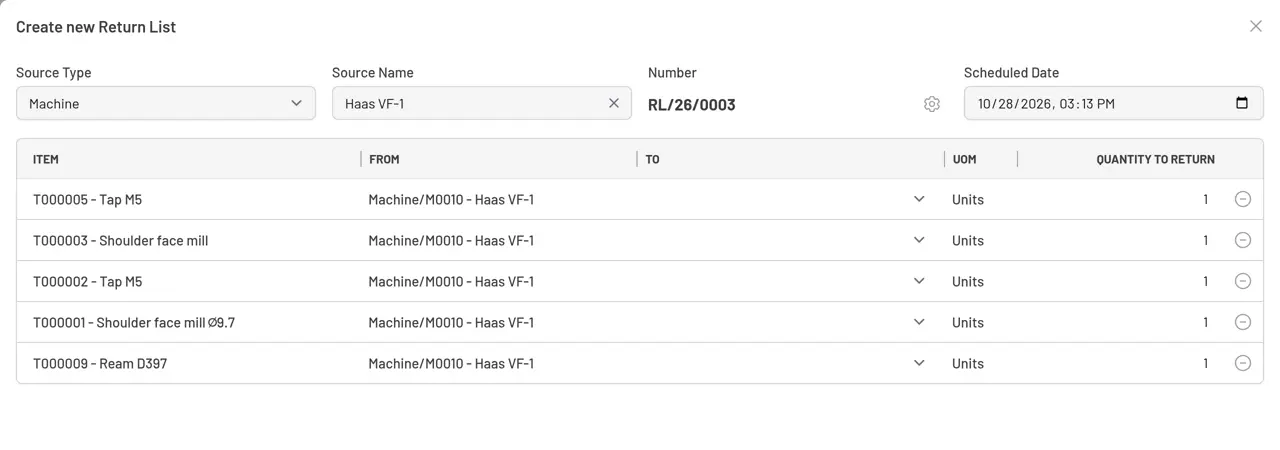
Fig. 1: New return list — pick the source; Tooling Metrics prefills what’s returnable from it.
Return at the WAP terminal, then validate
Section titled “Return at the WAP terminal, then validate”- Bring the tools or items to the WAP and confirm each line — either from the office return list or at the WAP terminal, which highlights the suggested destination on the 3D model for each line.
- Click Validate. Each item moves out of circulation into its destination storage location.
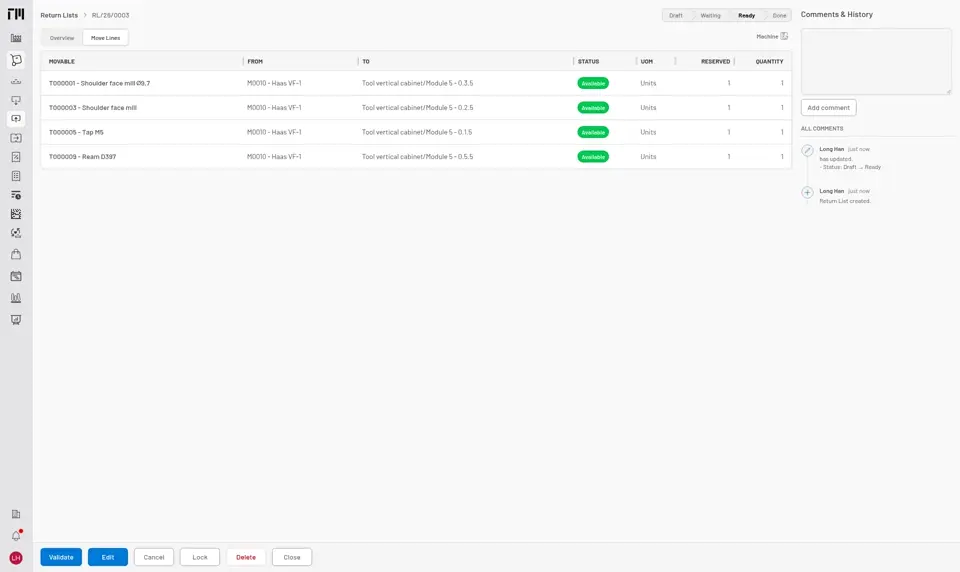
Fig. 2: Validate once everything has physically arrived at its destination.
Record cutting edge usage
Section titled “Record cutting edge usage”Validating a return list sourced from a Machine immediately opens a Record cutting edge usage step for every tool that came back from it. For each mounted cutting edge, enter the usage to Add to its current usage or the new total with Set total, and mark an edge Broken if it failed during the run. See Record tool runtime.
- A return list started from a tool prefills each line’s destination from the item’s stock rule for the returned pieces’ condition (see Destination prefill); a line no rule fits has none, for you to choose. Destinations can be overridden per line.
- To discard a return list before it’s validated, use Cancel — no inventory is affected.


© 2026 ToolingMetrics. All rights reserved.